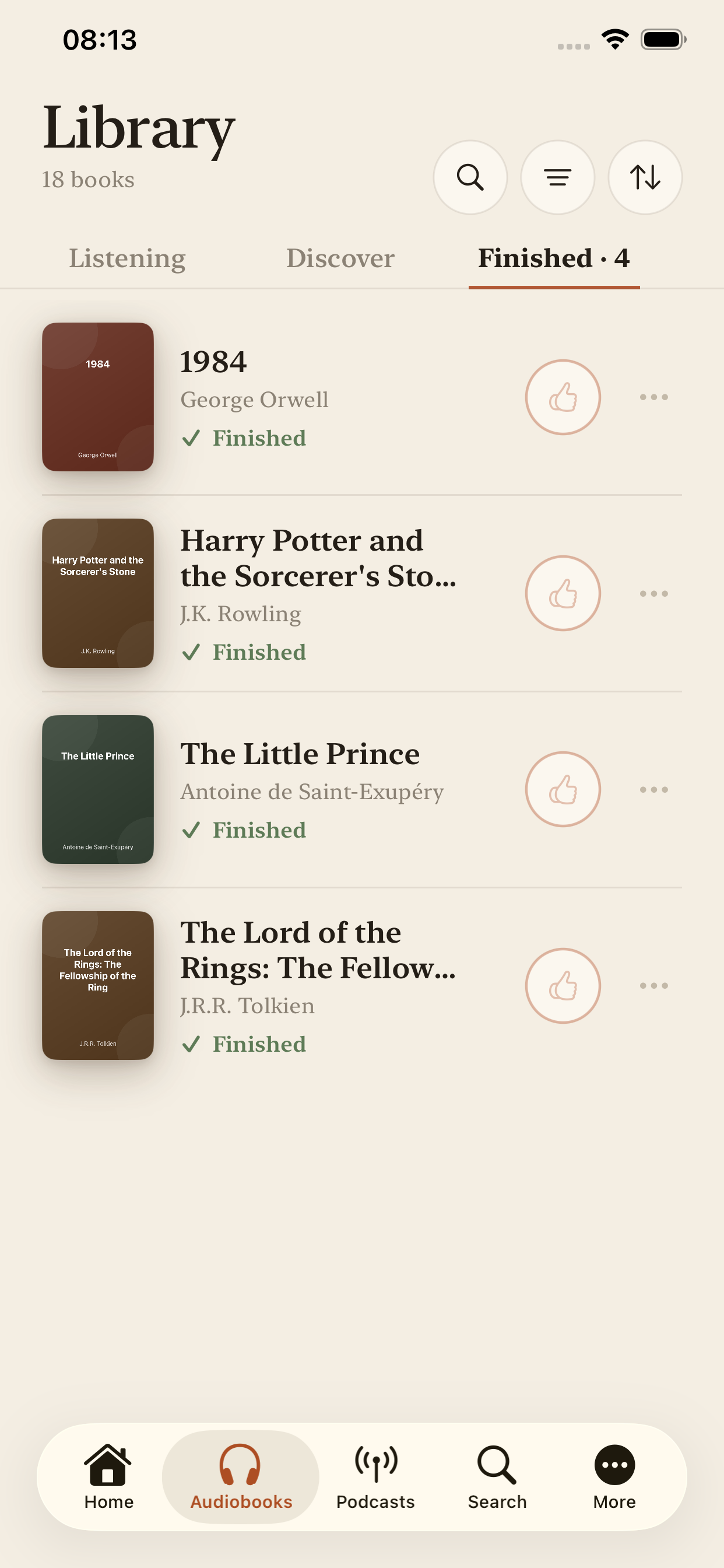
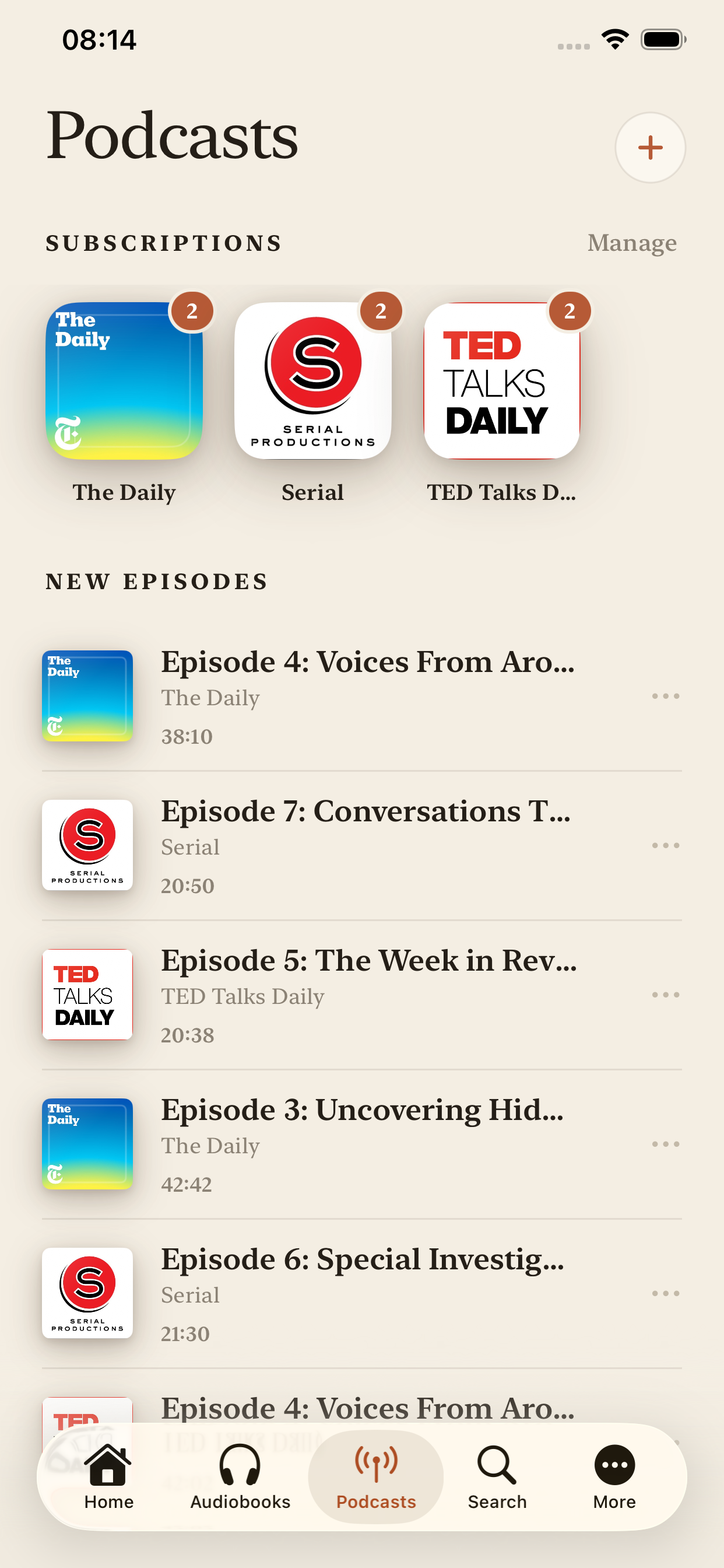
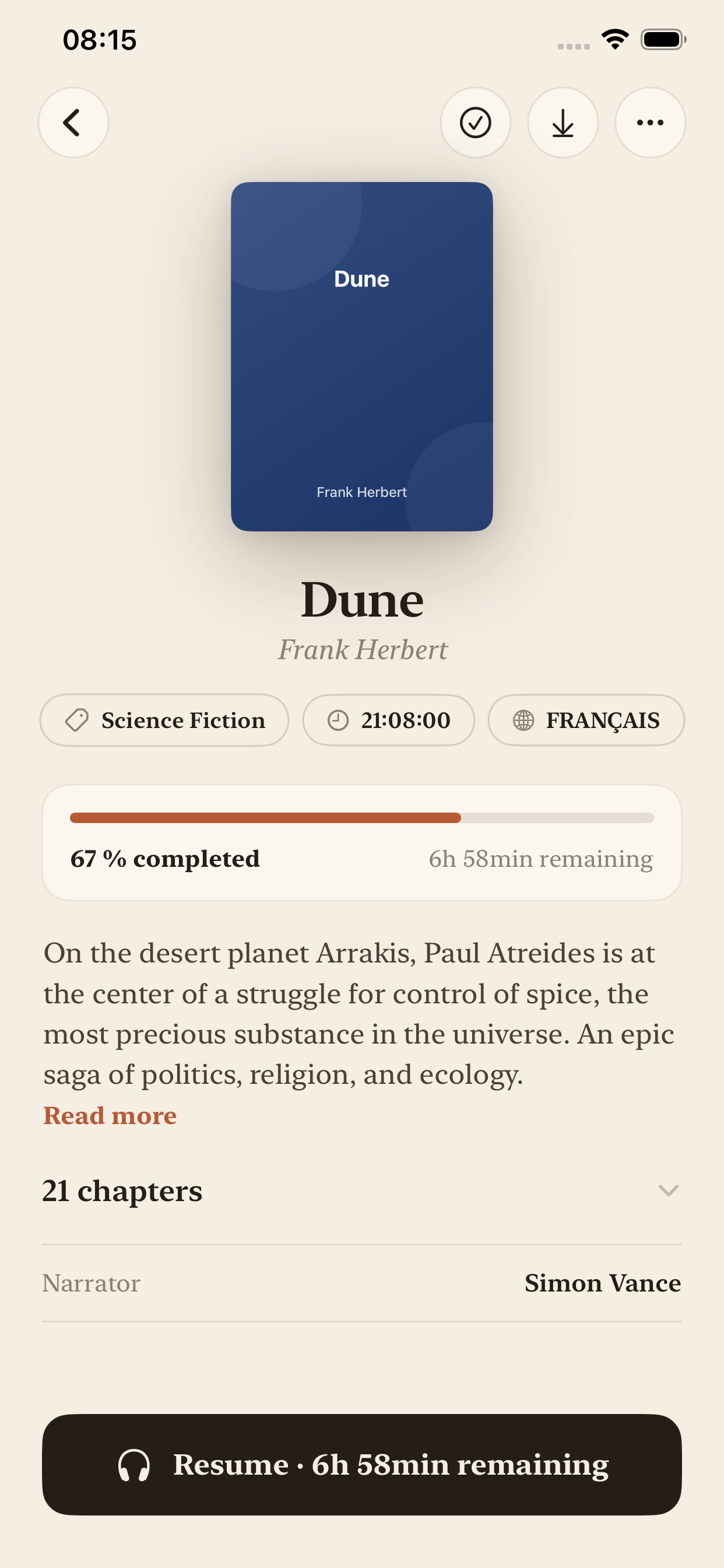
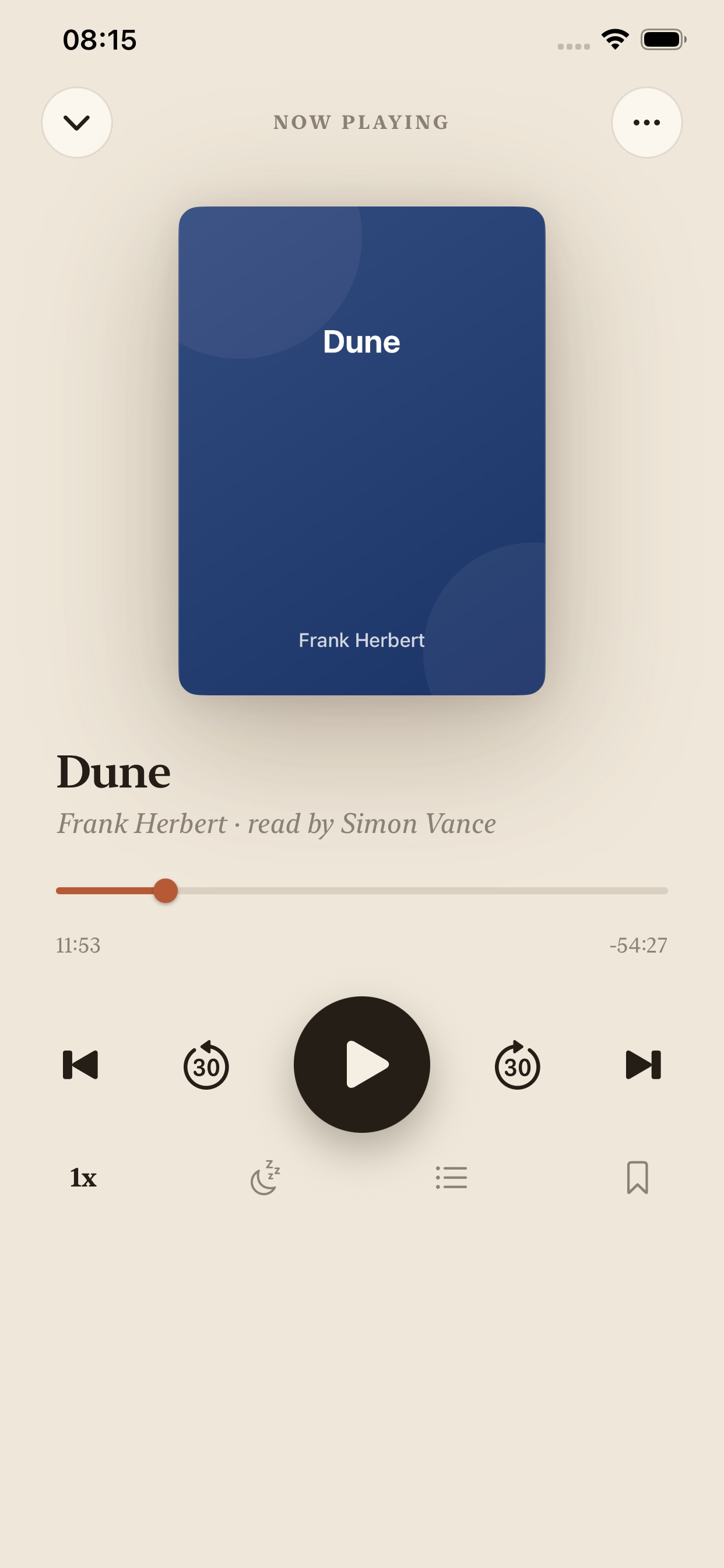
Your listening
companion

Connect your Audiobookshelf server, explore thousands of free audiobooks on Librivox, or import your own files. All in one place.
Everything you need

A complete and personalized listening experience

Audiobookshelf

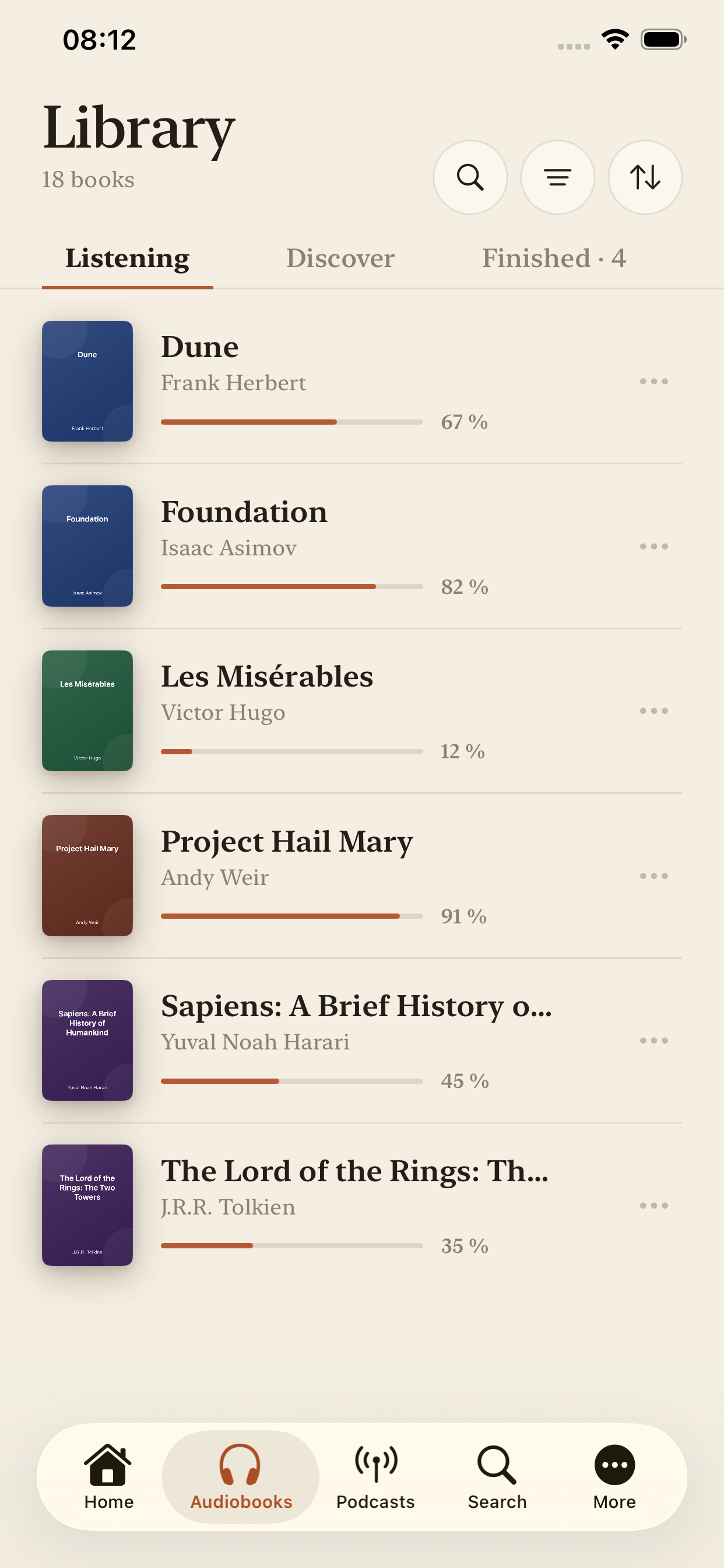
Connect your personal server and sync your library in real-time.

Librivox & Podcasts

Access 15,000+ free audiobooks and subscribe to your favorite podcasts.

Local files

Import your MP3, M4A, M4B files. Create multi-chapter audiobooks.

Offline mode

Download your books and listen without an internet connection.

CarPlay & Apple Watch

Control your books from your car or wrist.

Timer & Speed

Sleep timer and adjustable playback speed (0.5x to 2x).

Bookmarks & History

Mark your favorite passages and track your listening history.

iPad optimized

Adaptive interface with sidebar, split-view and 4-column grid.

Custom themes

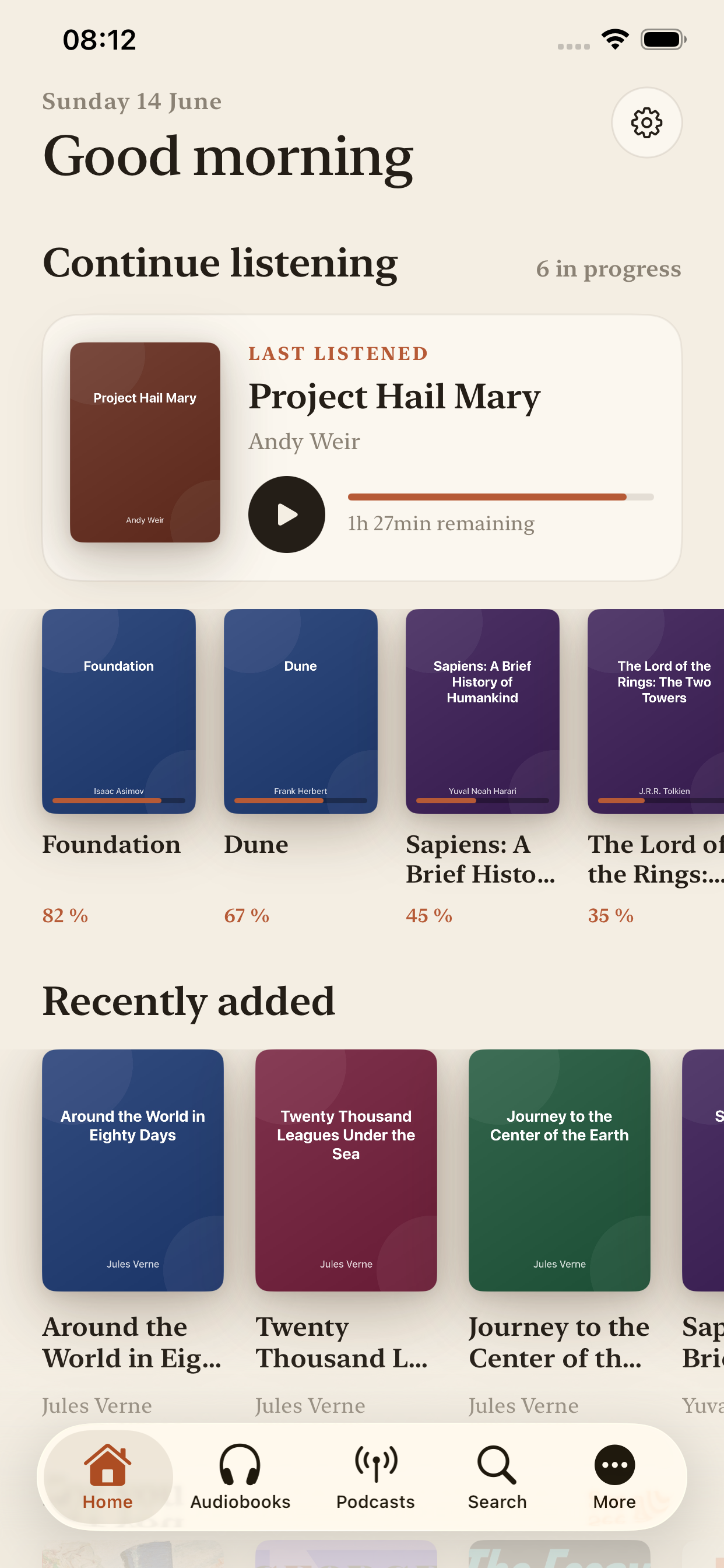
Neon cyan/purple or Classic cream/terracotta. Personalize your experience.

Personalized Recommendations

Discover new books based on your tastes and listening history.

5 Languages Available

Interface available in French, English, German, Spanish, and Italian.

Your audiobooks, your rules

Four ways to access your library

Audiobookshelf

Connect your self-hosted server and enjoy seamless sync of your progress, bookmarks and metadata.

  • Real-time sync
  • Multi-device progress
  • Complete metadata

Librivox

Explore over 15,000 free public domain audiobooks. Literary classics read by volunteers from around the world.

  • 100% free
  • Public domain
  • Streaming & download

Local files

Import your own audio files. Create audiobooks from multiple MP3s with automatic chapter detection.

  • MP3, M4A, M4B, AAC, WAV
  • Multi-file → chapters
  • ID3 metadata

Podcasts

Subscribe to your favorite podcasts via RSS URL. Automatic sync of new episodes.

  • RSS subscription
  • Per-episode progress
  • New episode notifications

An interface designed for listening

Frequently Asked Questions

Everything you need to know about Audiary

What is Audiary?

Audiary is an iOS audiobook player that connects to Audiobookshelf servers, supports 15,000+ free Librivox audiobooks, podcasts, and local file imports with CarPlay and Apple Watch support.

Do I need an Audiobookshelf server?

No! Audiary works with Audiobookshelf, but you can also use Librivox (free), import local files, or listen to podcasts without any server.

Is Audiary free?

Yes! Audiary is free to download with all core features included. Premium unlocks advanced features like iCloud sync, custom themes, and widgets.

Can I listen offline?

Absolutely! Download your audiobooks and listen without internet connection. Perfect for flights, commutes, or areas with poor connectivity.

Does it work with CarPlay?

Yes! Audiary has full CarPlay integration. Connect your iPhone and control your audiobooks safely while driving.

What languages are supported?

Audiary supports 5 languages: English, French, German, Spanish, and Italian. The interface automatically adapts to your device language.

Does Audiary have an equalizer and advanced playback controls?

Yes! Audiary features a built-in equalizer with multiple presets, playback speed control from 0.5x to 2x, a customizable sleep timer, skip forward/backward buttons, and the ability to create bookmarks at specific timestamps for easy reference.

What can I do with Audiary on Apple Watch?

The Apple Watch app lets you control playback, view book cover art, see current chapter and progress, adjust volume, skip chapters, and control the sleep timer directly from your wrist without reaching for your iPhone.

Can I listen to podcasts in Audiary?

Absolutely! Subscribe to podcasts via RSS URL, track progress per episode, get automatic notifications for new episodes, and download episodes for offline listening. Podcasts integrate seamlessly with your audiobook library.

What premium features does Audiary offer?

Premium includes iCloud sync across devices, custom themes (Neon and Classic), 7 alternative app icons, detailed listening statistics with charts, iOS widgets (small, medium, large), and listening history export to CSV format.

Does Audiary have home screen widgets?

Yes! Premium users get three widget sizes (small, medium, large) showing currently playing book, cover art, playback controls, and progress. Widgets update in real-time and work on both iPhone and iPad.

How does iCloud sync work in Audiary?

Premium users can sync preferences, themes, bookmarks, and listening statistics across all iOS devices via iCloud. Note that audiobook progress syncs through your Audiobookshelf server, while local files and preferences sync via iCloud.

Can I customize the app appearance and themes?

Yes! Choose between Neon theme (cyan/purple gradients) or Classic theme (cream/terracotta), select from 7 alternative app icons, and the interface automatically adapts to iOS dark mode. Premium unlocks all customization options.

Does Audiary track listening statistics?

Premium users get detailed stats including total listening time, books completed, average daily listening, listening streaks, favorite genres, and monthly progress charts. Export your complete listening history as CSV for analysis.

How do I organize and search my audiobook library?

Use advanced filters by author, genre, series, or reading status. Sort by title, author, date added, or recently played. The smart search finds books instantly by title, author, or narrator. Create custom collections and mark favorites.

How does the recommendation engine work?

Audiary analyzes your listening history, favorite genres, completed books, and ratings to suggest personalized recommendations. The algorithm learns your preferences over time and suggests similar audiobooks from your library or Librivox catalog.

What's the difference between Audiobookshelf, Librivox, and local files?

Audiobookshelf is your self-hosted server with your personal collection and full sync. Librivox offers 15,000+ free public domain classics for streaming or download. Local files let you import your own MP3/M4A/M4B files with automatic chapter detection.

Audiary Premium

Unlock all features

iCloud sync
Custom themes (Neon & Classic)
7 alternative app icons
Detailed listening stats
iOS widgets (small, medium, large)
Listening history export (CSV)

Ready to listen?

Download Audiary for free on the App Store

Download on the App Store

Requires iOS 26.0 or later • Compatible with iPhone, iPad, Apple Watch & CarPlay